Authentication
Our endpoints make use of Tokens to authenticate incoming requests,
Generate Token
-
Head over to your dashboard. Under
Account, you should be able to navigate tointegrationstab. -
Click on
Create Token. Copy the generated token somewhere safe as we WON'T display it again.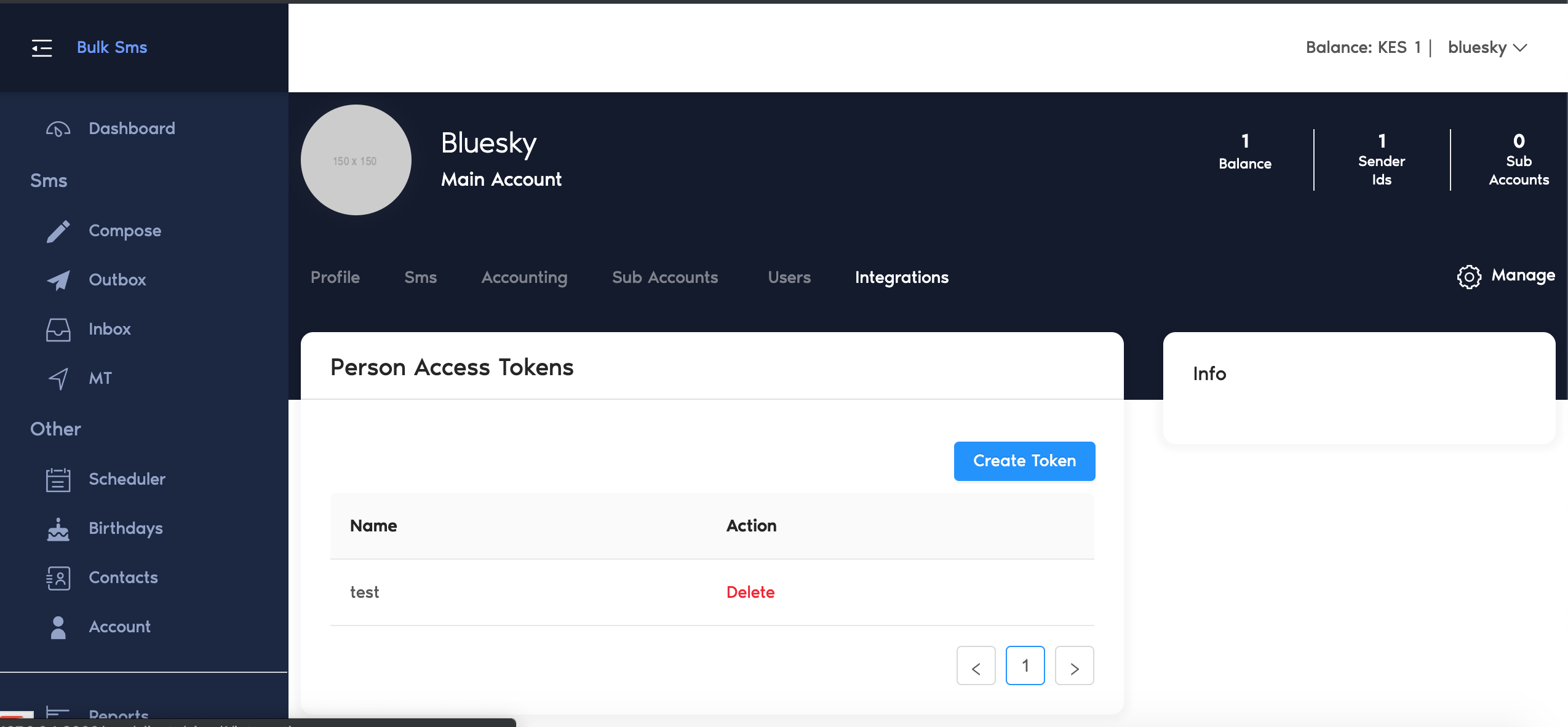
-
The generated token MUST be appended on all your requests' Headers, under the Bearer Token Authorization.
Sample Header
Content-Type: application/json
Accept: application/json
Authorization: Bearer 123456789
{info} The Authorization value is the word
Bearer, a single space, then your token.{warning} Always send
Accept: application/json. Without it, a missing or invalid token returns a302redirect to the HTML login page rather than a JSON401, and your client will appear to receive HTML from the API.
...
{danger} The Generated Token Gives a person full access to your account. Don't share it under any circumstance️